How Do Foreigners Get an e-Devlet Password?
26 November 2026 Şeref Karaca, Real Estate Consultant
With an e-Devlet password you can do many things online, such as title deed applications, address registration and checking debts. Foreigners can get an e-Devlet password once they have a foreign ID number, which usually means after the residence permit card arrives.
Step 1: Get your password at PTT
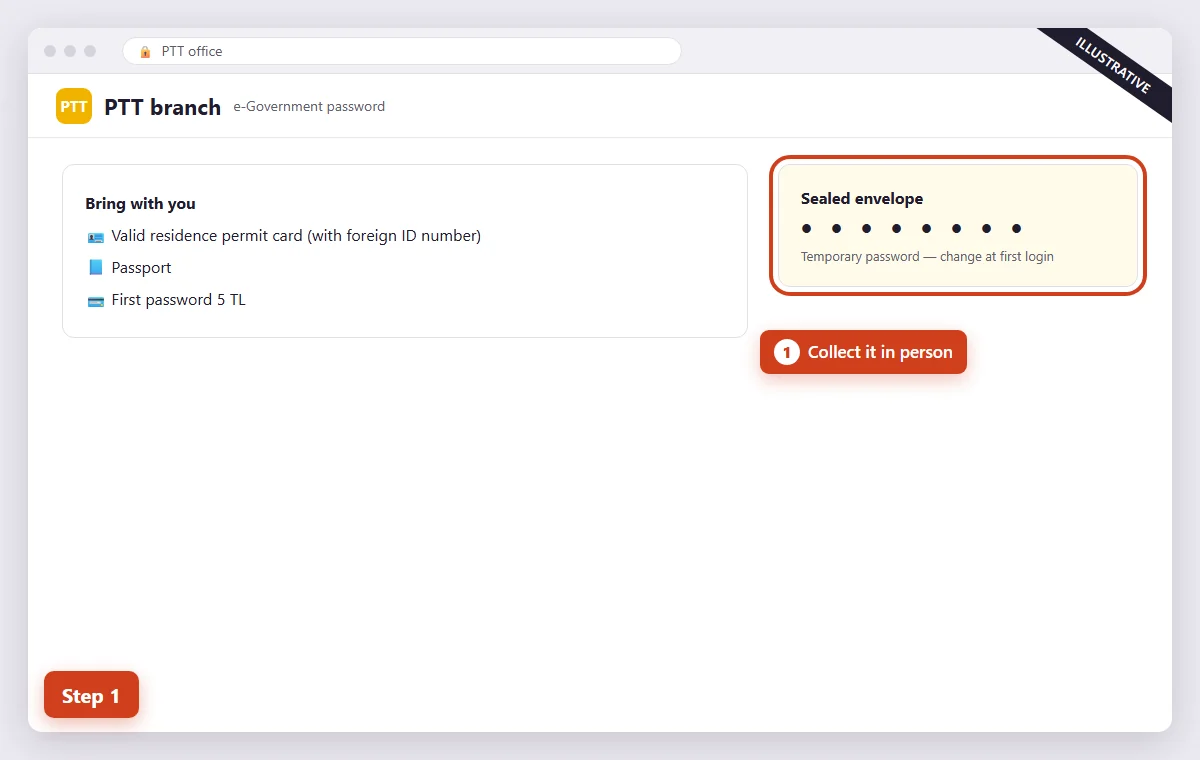
- Go to a PTT (post office) branch with your valid residence permit card (showing your foreign ID number) and your passport.
- The password is handed to you in a sealed envelope. The first password costs TRY 5, each later one TRY 20.
- If you are abroad, Turkish consulates issue it free of charge.
Step 2: Sign in for the first time
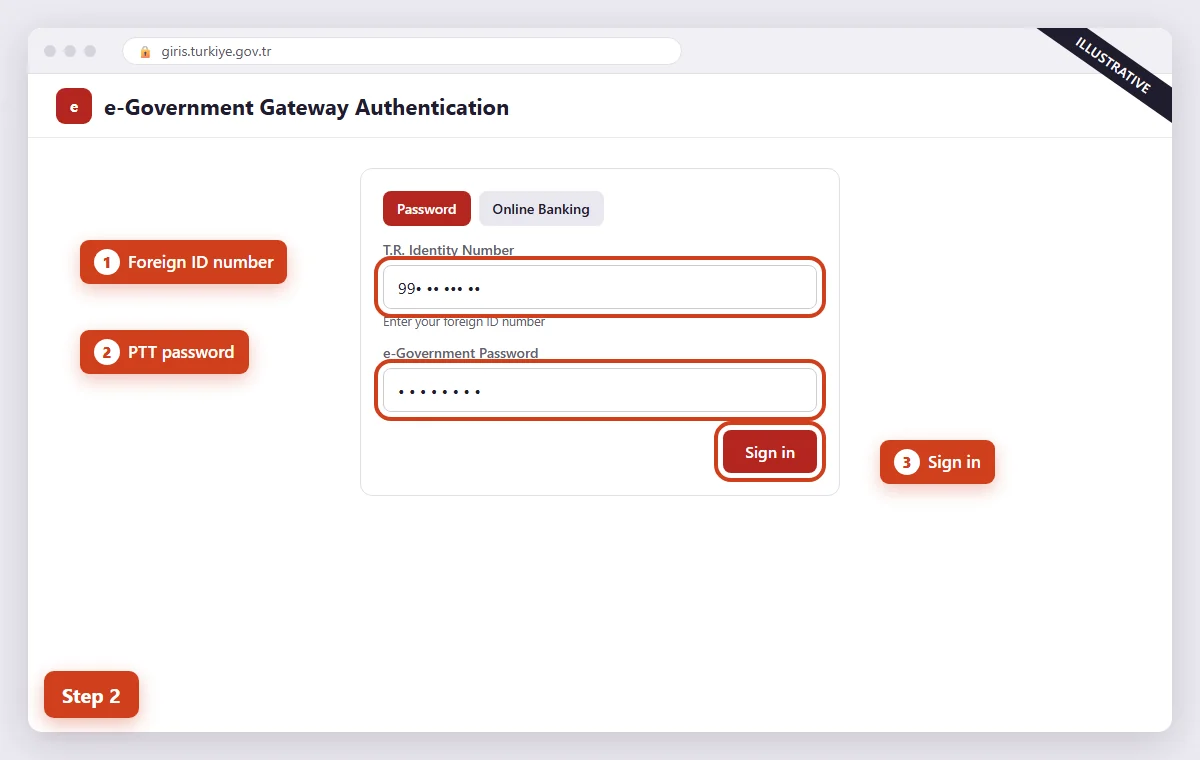
On turkiye.gov.tr click Sign In. Enter your foreign ID number in the "T.R. Identity Number" field and the password from the envelope, then click Sign in.
Step 3: Change your password
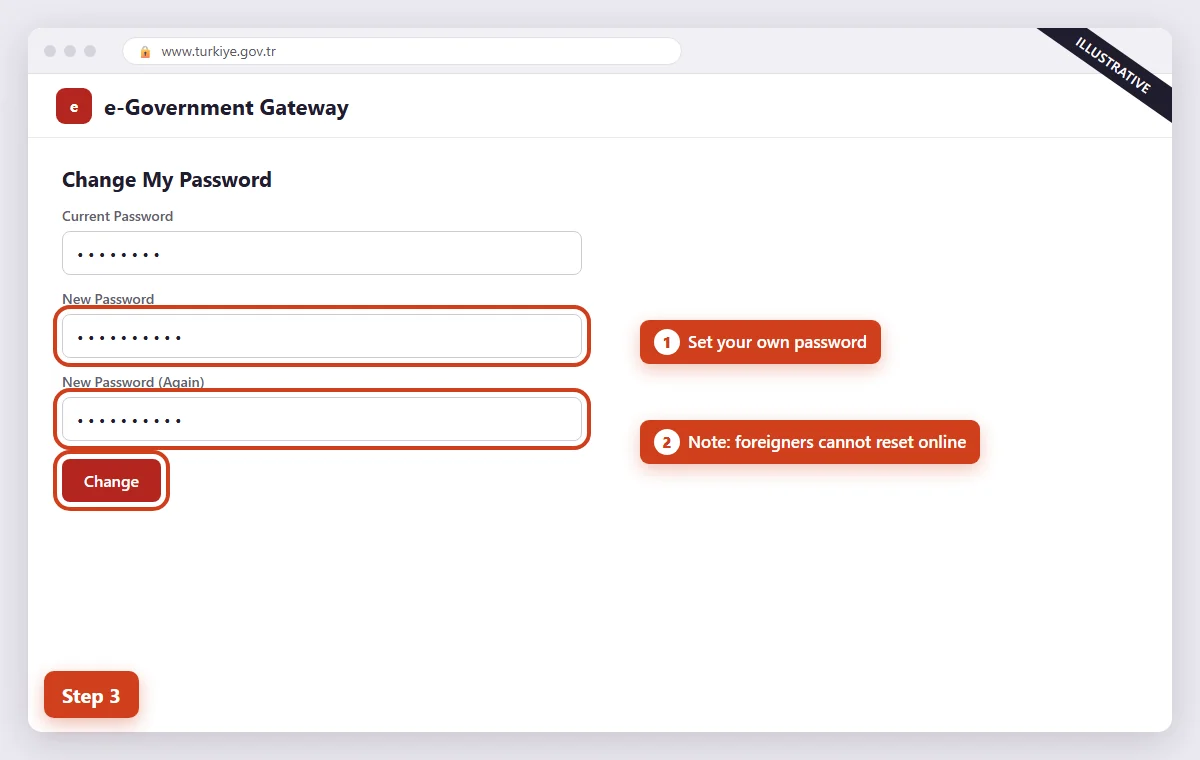
At the first sign-in you are taken to the password change screen. Enter your new password twice and click Change. You can change it later under Change My Password.
Good to know
- Foreign users cannot use the online password renewal service. If you forget your password, "Forgot your password?" will not work; you need a new one from PTT.
- If you have online banking with a Turkish bank, some banks also let you sign in to e-Devlet; whether this works with a foreign ID number depends on the bank.
- With the password you can also use Web Tapu: title deed appointment for foreigners.
The images are illustrative screens prepared to show the steps; the real screens may look different. If menu names change, follow the labels on the screen.
Would you like to talk to a consultant about this?
Send us your questions and we will reply based on the current situation in Antalya.